You can easily configure two checkout buttons on your cart page: one for regular checkout and another to offer Shipping Protection.
Steps to Set It Up:
Enable the Button Layout
Go to the ShipSure App > Settings > Layout and select the Button option under Layout Options.Activate Secondary Button
Navigate to the Customize tab.
Scroll down to the Secondary Button section.
Enable the toggle to activate the secondary button.
The Primary Button will display with Shipping Protection.
The Secondary Button allows users to checkout without Shipping Protection.
Customization (Optional)
You can further customize the text, colors, size, margins, and borders for both buttons to match your store’s theme.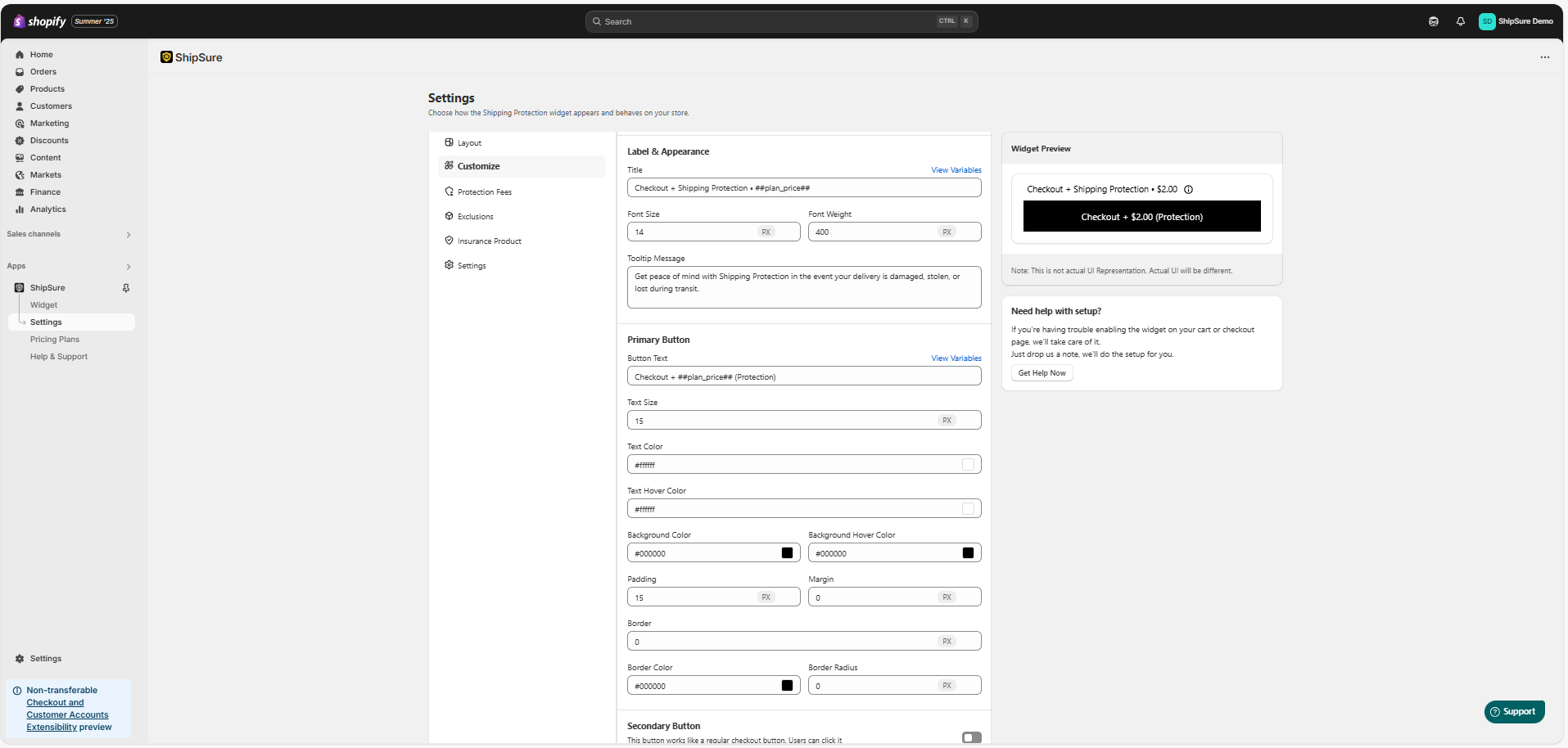
Result:
With this setup, customers will see two checkout buttons:
One with Shipping Protection
One without Shipping Protection
Need Help?
If you face any issues while setting up the using ShipSure, feel free to reach out to our support team:
Email: hello@shipsure.in
We’ll be happy to assist you and ensure your setup is completed smoothly.
Was this article helpful?
That’s Great!
Thank you for your feedback
Sorry! We couldn't be helpful
Thank you for your feedback
Feedback sent
We appreciate your effort and will try to fix the article